- AI for business owners doesn't require technical skills — the highest-value applications (customer communication, content, proposals, SOPs) are all accessible with no-code tools.
- Start narrow: one high-frequency task, one tool, one week of practice before adding anything else.
- Small businesses are seeing some of the biggest percentage gains from AI because they're applying it to the tasks the owner was personally doing — which means the leverage goes directly to margin.
- The right frame isn't "replacing staff" — it's "what was taking 3 hours that could take 20 minutes?" That's where AI creates business owner leverage.
Most business owners I talk to have the same hesitation about AI: "I'm not technical enough for this." It's the wrong concern. The AI tools creating the most value for business owners right now don't require any technical skill — they require clarity about what you need and the willingness to iterate on it. Non-technical business owners are seeing some of the biggest gains from AI, because they're applying it to the tasks they were personally doing before.
The right starting point for AI for business owners is simple: find the task that takes you the most time relative to the value it produces, and try AI on that task first. Not an overview of all possible AI applications — one task, one tool, this week.
The tasks where AI creates the most leverage for business owners
Not every business task is a good fit for AI. The best candidates share three characteristics: they're high-frequency (you do them regularly), they follow a pattern (there's a recognizable structure), and they're currently eating significant time relative to their judgment requirement.
Customer communication. Responding to inquiries, writing follow-up emails, handling common questions. A business owner who spends 2 hours a day on email can often cut that to 30–45 minutes with AI drafting the initial responses. The key is building a template that captures your voice and the context about your business — then using AI to fill it in and you to review and send.
Content and marketing copy. Social posts, email newsletters, product descriptions, website copy. AI isn't going to replace your brand voice — but it can produce a solid first draft in two minutes that you edit rather than writing from scratch. For a small business owner who knows they should be creating content but never has time, this is often where AI changes the most.
Proposals and documents. Client proposals, SOPs, job descriptions, vendor contracts. These follow patterns. Once you've built a template prompt that captures how your proposals are structured, generating a first draft for a new client takes minutes instead of hours.
Research and competitive analysis. Understanding a new market, evaluating a vendor, synthesizing industry information. AI tools dramatically compress research tasks — not because they replace primary research, but because they help you synthesize existing information faster.
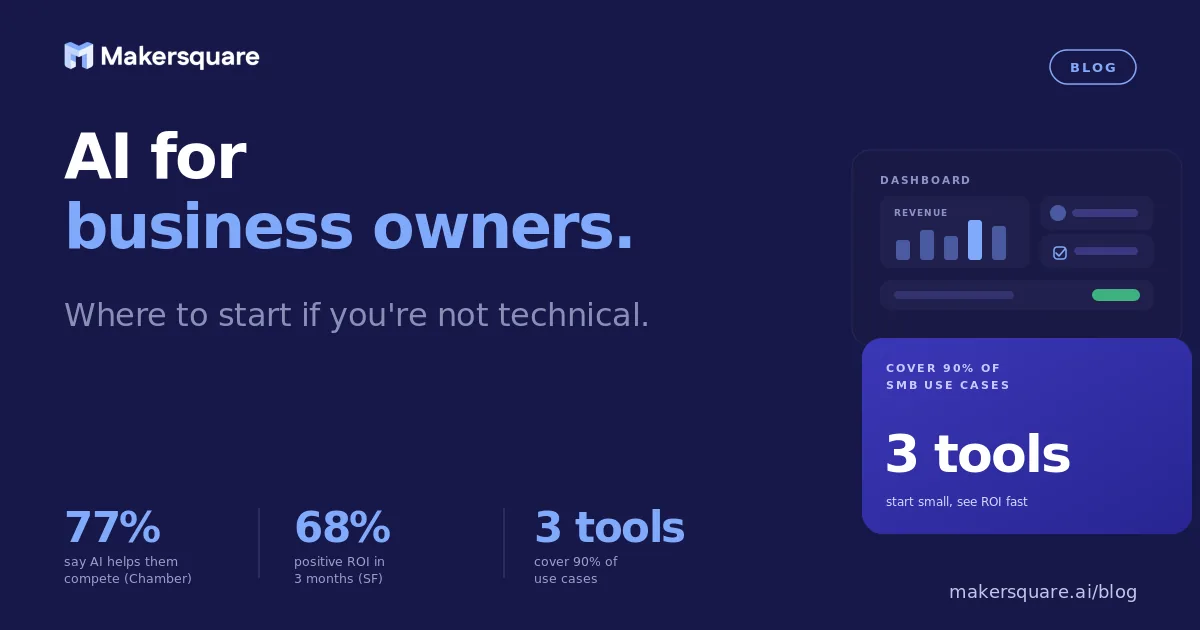
A 2025 U.S. Chamber of Commerce survey found that 77% of small business owners using AI reported it helped them compete more effectively with larger companies. The mechanisms were consistent: reduced time on administrative tasks, faster content production, and better customer communication.
The tools that actually matter for small businesses
The AI tool landscape is overwhelming if you approach it as "I need to evaluate everything." You don't. For a non-technical business owner, three tools cover 90% of use cases.
Claude Pro ($20/month). Best for: long documents, nuanced writing, analysis of complex situations, anything where you need the AI to follow detailed instructions. Claude's ability to hold a long, complex context makes it the strongest general-purpose tool for business writing and analysis.
Zapier or Make ($20–$30/month). Best for: automating repeating workflows that connect multiple apps. When a new lead fills out a form, automatically send a personalized follow-up and add them to your CRM. When a customer places an order, trigger a confirmation and internal notification. No code required — you set up the logic through a visual interface.
A scheduling or customer-specific AI add-on. Many vertical-specific tools now have AI built in — email marketing platforms, CRM tools, scheduling software. If you're already paying for Mailchimp, HubSpot, or similar, check whether they've added AI features. Often the best starting point is the AI already inside the tools you use.
According to Salesforce's 2025 Small Business Trends report, 68% of small businesses using AI tools said they saw positive ROI within the first three months. The fastest ROI came from applications to sales and customer communication.
The non-obvious insight: owner time is your most expensive resource
Here's something the generic AI-for-business content rarely says directly: for most small business owners, your time is the most expensive resource in the business. If you're billing $200/hour or more on your own work, or if you're doing work that depends entirely on you to function, every hour AI saves you is worth significantly more than an employee hour saved.
This means the calculation for AI investment is different for business owners than for enterprise teams. An enterprise AI tool that saves an analyst 3 hours a week saves the company one analyst-hour of cost. An AI tool that saves a business owner 3 hours a week frees up 3 hours that can go into revenue-generating work — or into not working late on a Tuesday.
The frame that helps: what are you currently doing that a very capable junior person could do if you gave them clear instructions? Those are your AI tasks. Write down your instructions clearly enough that they'd make sense in writing, and that's your prompt.
What this means for business owners ready to go deeper
Starting with AI is easy. Getting AI to actually change how your business operates takes structure — knowing which tools to use for which tasks, how to build workflows that don't require you to babysit them, and how to iterate toward something that runs without you.
MakerSquare is a 2-week in-person AI builder program in Austin, TX — built for operators, founders, and professionals who want to build real AI tools, not just use them. Business owners who come through the program leave with a working AI system built around their actual business — not a demo, not a tutorial, something they use starting day one back at work. See the curriculum for what that looks like.
The business owners who are going to look back on this period and say "that's when everything changed" are the ones who started building something real right now — not the ones who waited until it felt less technical.
Ready to build AI into how your business actually runs? Download the MakerSquare curriculum to see how operators and founders are building real AI systems in two weeks.