If you run a business and your accounting feels like a quarterly ordeal rather than a real-time view of your finances, AI for accounting is worth understanding. The technology isn't new — QuickBooks has been automating categorization for years — but the sophistication has increased significantly, and the tools accessible to small and mid-size businesses without dedicated finance teams have caught up with what enterprise software has offered for a decade.
This isn't a guide for accountants. It's a guide for business owners, operators, and founders who want to understand what AI is actually automating in finance and what still requires human attention.
- AI handles transaction categorization, reconciliation, and AP processing reliably — these are now largely automated in leading platforms.
- Financial reporting generation (cash flow summaries, P&L narratives, variance analysis) is where AI delivers significant time savings for leadership teams.
- AI can surface anomalies and flag risks — but it doesn't replace judgment on what to do about them.
- The biggest risk is over-trusting AI categorizations without monthly human review.
- For most small businesses: QuickBooks AI features or Xero with automations enabled are sufficient starting points.
What AI for accounting actually means
AI for accounting isn't one thing — it's AI applied to specific tasks within the accounting workflow. The clearest way to understand it is by task category:
Transaction categorization: AI reads transaction descriptions, amounts, and vendor names, then assigns them to the correct account. QuickBooks, Xero, and FreshBooks have done this for years. The accuracy is high for recurring transactions with familiar vendors; it degrades for ambiguous or novel transactions. Most platforms learn from your corrections over time.
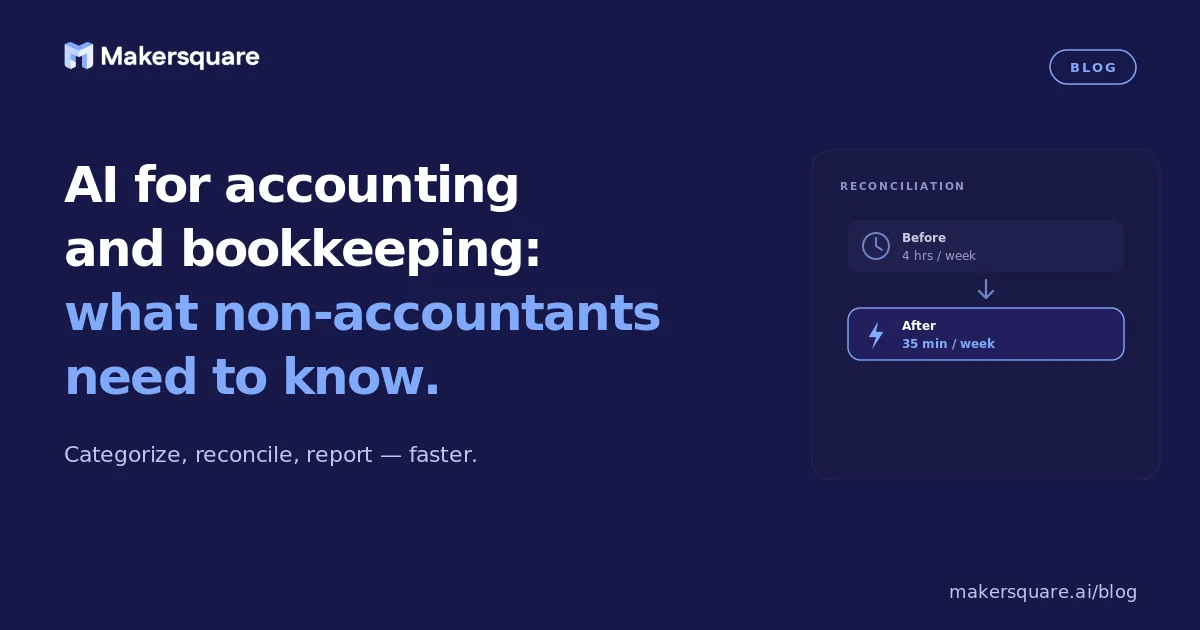
Bank reconciliation: AI matches transactions in your accounting system to transactions in your bank feeds, flagging discrepancies for human review. What used to take hours monthly is now largely automated — the human reviews exceptions, not the full match list.
Accounts payable processing: AI extracts key data from vendor invoices (vendor name, amount, due date, line items), codes them to the appropriate accounts, and queues them for approval. Tools like Stampli and BILL integrate AI invoice capture that reduces AP data entry by 70–80% for most businesses.
Expense reporting: AI reads receipts (via mobile capture), categorizes expenses, matches them to expense policies, and flags policy violations. Expensify and Concur have had this for years; it's now table stakes for any expense management platform.
Financial reporting: AI generates narrative summaries of financial statements, highlights variances from prior periods, and answers natural-language questions about financial data. This is the newer, higher-value application — described in detail below.
The highest-value application for non-accountants: financial reporting narratives
The most significant AI advance for non-accountants in 2026 isn't better categorization — it's the ability to get plain-English explanations of financial data without waiting for your accountant to summarize it for you.
Modern accounting platforms with AI layers (QuickBooks AI, Xero Analytics Plus, and standalone tools like Digits) can generate natural-language explanations of your P&L, flag unusual variances, and answer questions like "why did our gross margin drop this quarter?" by pointing to specific transactions or categories.
For business owners who spend most of their time in operations, not finance, this changes the frequency with which they can engage meaningfully with their numbers. Instead of a monthly accountant call where someone explains what happened, you can ask the system directly — and get a useful answer in seconds.
A McKinsey study on AI in finance found that AI-generated financial narrative tools reduced the time finance teams spend preparing management reports by 40–60%. For small businesses where the owner is the finance team, the impact is even more significant.
AI for accounts payable: where the ROI is most immediate
If you process more than 50 vendor invoices per month, accounts payable automation is the most immediate ROI opportunity in accounting AI. The workflow is straightforward:
- Vendor sends invoice to a dedicated email address or portal
- AI extracts key fields (vendor, amount, due date, line items, purchase order reference)
- AI suggests GL coding based on vendor history and line item descriptions
- Human approver reviews and approves (or corrects and approves)
- Payment is scheduled according to terms
The human involvement is at approval — not at data entry, coding, or scheduling. For businesses processing 200+ invoices per month, this saves 15–20 hours of staff time per month. For smaller businesses, the saving is proportionally smaller, but the accuracy improvement (AI makes fewer data entry errors than humans doing repetitive work) is still meaningful.
BILL (formerly Bill.com) and Stampli are the most widely used small-business AP platforms with strong AI layers. Both integrate with QuickBooks and Xero. Tipalti is the enterprise option for higher-volume, multi-currency operations.
Cash flow forecasting: where AI helps but doesn't replace judgment
Cash flow forecasting is where AI in accounting is genuinely useful but frequently oversold. AI can analyze historical cash flow patterns, identify seasonal trends, and project forward based on known receivables and payables. It can't know about the large contract you're expecting to close, the equipment purchase you're planning, or the customer who's likely to pay late despite being marked as current.
The practical value: AI forecasting tools (Float, Fathom, and QuickBooks Cash Flow Planner) give you a better baseline to work from and surface patterns in your historical data you might not have noticed. The judgment layer — adjusting for known future events, interpreting the forecast in context, making the actual decisions — remains human.
For businesses with tight cash flow margins, the combination of AI baseline + human adjustments is meaningfully more accurate than either approach alone. Treating AI cash flow forecasts as definitive without human overlay is where businesses get into trouble.
What AI in accounting still can't do
Understanding the limits is as important as understanding the capabilities:
- Tax strategy: AI can organize your data for tax preparation and surface potential deductions based on patterns. It cannot provide tax advice, optimize your structure, or apply judgment to complex multi-state or international situations. A tax professional remains essential for anything beyond simple returns.
- Audit-grade accuracy: AI-categorized books require human review before any audit or significant financial transaction. Categorization errors compound. A monthly or quarterly review by someone who understands your business is not optional if you're relying heavily on AI automation.
- Business context: AI doesn't know your business strategy. It can't tell you that the $50,000 you spent on a vendor this quarter represents a critical strategic bet that should be interpreted differently from normal expenses. The numbers need human context to become decisions.
- Anomaly investigation: AI can flag an anomaly. It can't investigate whether the anomaly represents fraud, a categorization error, an unexpected business development, or a data entry problem. That investigation is human.
Where to start if you're a small business owner
The right starting point depends on what's currently broken in your accounting workflow:
If your books are frequently behind: The issue is usually AP data entry and categorization. Enable AI transaction categorization in QuickBooks or Xero if you haven't, and consider BILL for AP if you're processing meaningful invoice volume. The goal is to get to real-time books, not month-old books.
If your books are current but you don't understand them: The issue is reporting. QuickBooks AI reports or a tool like Digits can generate plain-English summaries that make your financial data accessible without an accounting background. Understanding your numbers weekly rather than monthly changes how you run the business.
If you're spending significant time on expense reports: Implement Expensify or a similar AI expense tool. The ROI is typically immediate for any business with more than 3–4 people submitting expenses.
MakerSquare is a 2-week in-person AI builder program in Austin, TX — built for operators, founders, and professionals who want to build real AI tools, not just use them. Business owners who attend often build custom reporting dashboards and financial monitoring tools that pull from their existing accounting platforms — giving them real-time financial visibility without waiting on a monthly close.
MakerSquare is an in-person AI builder program in Austin, TX. Two weeks. Hands-on. Real outcomes. No coding background required.