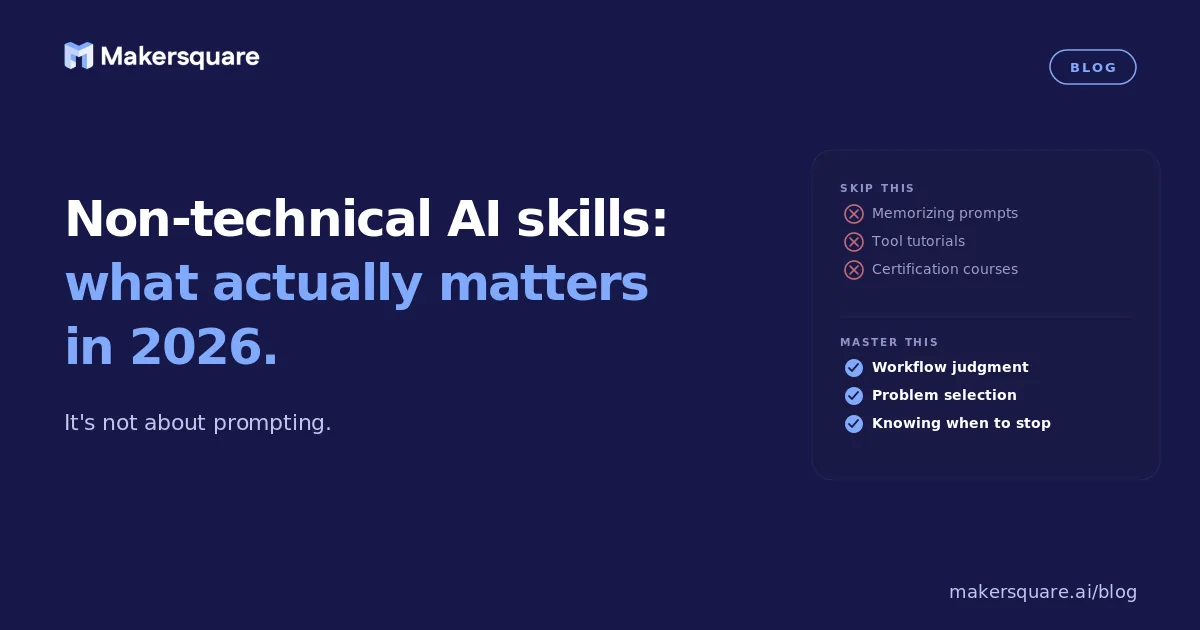
- Non-technical AI skills in 2026 are about judgment and workflow design, not prompting — prompting is the entry point, not the destination.
- The four skills that actually compound: output evaluation, task decomposition, workflow design, and tool selection.
- Most professionals plateau at "using AI occasionally" because they never build the mental model for where AI is and isn't reliable.
- Applied practice — building actual workflows, not just experimenting — is what closes the gap between knowing about AI and using it to change how you work.
Every skills list for 2026 includes "AI literacy." Almost none of them define what that means in practice. The result is a lot of people who have used AI, feel vaguely behind, and aren't sure what exactly they're supposed to get better at.
The non-technical AI skills that actually matter in 2026 are not prompting tricks. They're about developing a reliable mental model for what AI can and can't do — and the practical ability to design workflows that apply that understanding to your specific work. Here's what that looks like in concrete terms.
Skill 1: Output evaluation — knowing when to trust AI and when to verify
This is the most underrated skill in AI adoption, and the one that separates professionals who use AI confidently from those who stay stuck in low-stakes experimentation.
AI output quality varies enormously depending on the task. AI is very good at synthesis, summarization, structure, and first drafts of documents that follow a clear pattern. It's unreliable for specific facts without retrieval, nuanced judgment calls, anything that requires real-world context it doesn't have, and outputs where errors aren't immediately obvious to a non-expert.
The professionals who get the most value from AI have internalized this map. They know which outputs they can use with a quick review and which require careful verification. They've made errors, learned from them, and adjusted. According to the World Economic Forum's Future of Jobs 2025 report, "AI and big data" is now the top skill employers expect to prioritize — but the specific sub-skills they're actually hiring for are judgment-based, not technical.
Skill 2: Task decomposition — breaking problems into AI-sized pieces
Most professionals who say "AI didn't help with this" gave AI a task that was too big and underspecified. "Write a strategy document" fails. "Summarize these 5 research papers into a one-page brief covering X, Y, and Z" succeeds.
Task decomposition is the ability to take complex work and break it into specific, bounded sub-tasks that AI can handle reliably. This is a genuine cognitive skill, not a prompt template. It requires understanding what AI needs to produce a good output — clear inputs, a defined scope, an explicit format — and what part of the problem still requires human judgment.
Professionals who are good at this can use AI for significantly more complex work than those who aren't. It compounds over time: every task you successfully decompose builds your intuition for the next one. A BCG study on AI adoption found that the professionals with the highest AI productivity gains were consistently those who had developed this decomposition skill — often through structured practice rather than self-directed experimentation.
Skill 3: Workflow design — building systems, not just using tools
There's a meaningful difference between occasionally using AI and having AI embedded in how you work. The difference is whether you've designed workflows — repeatable, reliable processes where AI plays a specific, defined role — versus consulting AI when you happen to think of it.
Workflow design as a skill means being able to look at a recurring task and ask: what are the inputs? What's the output format? Which steps could AI handle reliably? How do I verify quality? What's the fastest way to get from input to finished output?
This doesn't require coding. Tools like Make, Zapier, and Claude Projects allow non-technical professionals to build genuinely sophisticated workflows without writing a line of code. The constraint is design thinking, not technical skill. And design thinking is learnable — but it's learned through practice, not by reading about it.
What this means for professionals who want to close the gap
The pattern across all three skills is the same: they're built through applied practice, not passive learning. Reading about AI prompting doesn't build output evaluation skill. Watching tutorials doesn't build task decomposition intuition. The only thing that builds these skills is trying to solve real problems with AI, making mistakes, and learning from them — in a structured environment where you get feedback and build on what works.
MakerSquare is a 2-week in-person AI builder program in Austin, TX — built for operators, founders, and professionals who want to build real AI tools, not just use them. Every day of the program involves building something real, which is the only way to develop the judgment skills that actually compound. See what that looks like at makersquare.ai/curriculum.
The non-technical AI skills that compound — output evaluation, task decomposition, workflow design — are built through practice, not reading. MakerSquare is where that practice happens, in person, over two weeks.